Idea
According to the ASP.NET Core YAML build sample, this sample covers the Angular part.
I recommend an own build agent, because the Hosted 2017 agent does not provide the latest NPM/NodeJS version, no NPM package caching and is really slow (for Angular builds).!
 1
 2resources:
 3- repo: self
 4
 5phases:
 6- phase: "WebApp"
 7
 8  queue:
 9    name: your custom build agent queue name here
10
11  steps:
12
13 # install NPM packages
14
15   - task: Npm@1
16    displayName: NPM install Packages
17    inputs:
18      command: custom
19      workingDir: 'src' # edit this to your needs
20      verbose: false
21      customCommand: 'install --save' # you could use NPM ci as command too
22
23 # build applications
24
25  - task: Npm@1
26    displayName: NPM build
27    inputs:
28      command: custom
29      workingDir: 'src' # edit this to your needs
30      verbose: false
31      customCommand: 'run build:prod' # edit this to your needs
32
33
34 # copy output to build artifacts
35
36  - task: CopyFiles@2
37    displayName: Copy Files to: $(Build.ArtifactStagingDirectory)/app
38    inputs:
39      SourceFolder: 'wwwroot' # edit this to your needs
40      TargetFolder: '$(Build.ArtifactStagingDirectory)/app'
41
42# publish build artifacts
43
44  - task: PublishBuildArtifacts@1
45    displayName: "Publish artifacts"
46    inputs:
47      PathtoPublish: '$(Build.ArtifactStagingDirectory)/app'
48      ArtifactName: app
49      publishLocation: Container
Use YAML exports
With the enabled YAML build preview feature you can export your existing VSTS build definitions as YAML builds.
Just open the definition and click on View YAML
Right now, you get a warning about undefined variables in your YAML builds - but you can ignore this error, if you are just using the VSTS default variables.
Official documentation
YAML builds are still in prview, so some features of VSTS dont work with YAML build (like build badges): VSTS: How to use YAML builds
Abel Wang from Microsoft uploaded a great video about VSTS YAML builds on YouTube:
Related articles

Feb 11, 2022 · 2 min read
Serve a SPA like Angular or React on Azure App Service for Linux
In many scenarios it can make sense to host single page applications via an Azure Web App, for example if you have many small applications - …
Jun 25, 2018 · 2 min read
Setup VSTS YAML builds for your ASP.NET Core app
Idea YAML builds are a very common way to define builds in AppVeyor, but in Visual Studio Team Services (VSTS) this feature is pretty new - …
Feb 19, 2017 · 1 min read
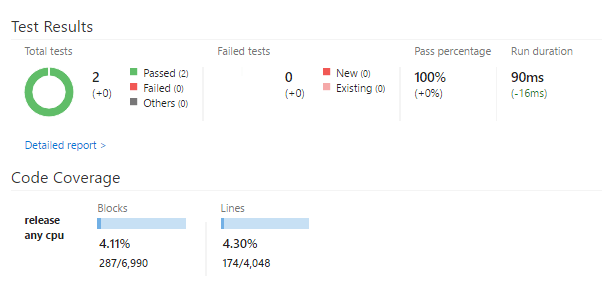
Aktivieren der Code-Coverage-Überwachung in Visual Studio Team Services
Code Coverage Die Code Coverage ist ein wirklich nützlicher Anhaltspunkt um für die Abdeckung von Software Tests ein Gefühl zu bekommen.
Author

BEN ABT
Ben is a Principal Software Engineer at Medialesson.de, with a strong focus on .NET and Microsoft Azure. In his professional role, he designs and builds highly scalable platforms for hybrid and cloud-based scenarios. He also advises companies and C-levels on migrating to the sovereign cloud.
He runs myCSharp.de, the largest and most active German-speaking C# community forum, actively contributes to both his own and external open-source projects and regularly shares his knowledge through his blog, at community events, conferences and as a writer for technical magazines.
Let's Work Together
Looking for an experienced Platform Architect or Engineer for your next project? Whether it's cloud migration, platform modernization or building new solutions from scratch - I'm here to help you succeed.
Comments