This article was written in 2018. Versions, tools and recommendations may have changed since then. Newer posts are collected under Blog.
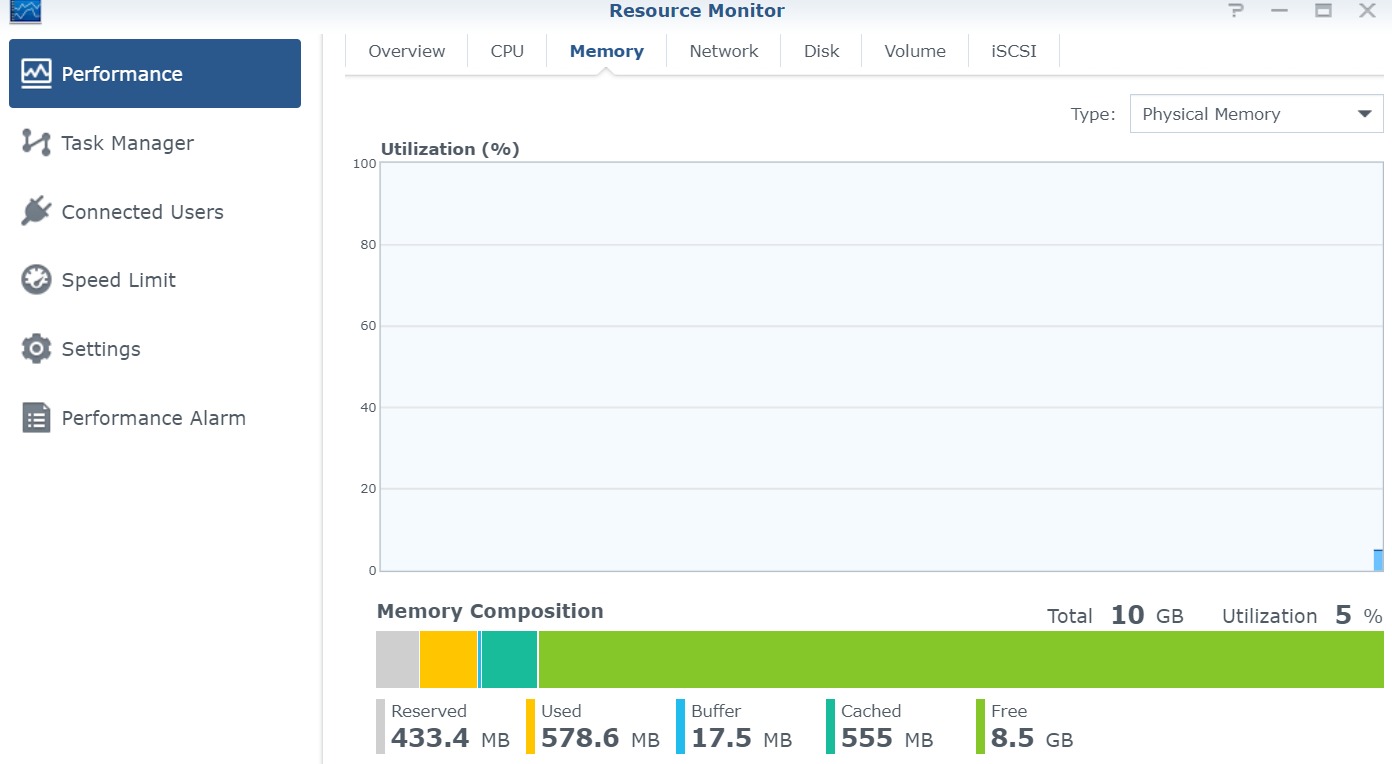
By default, the Synology DS718+ comes with 2GB of RAM. This article shows how to extend the Synology DS718+ to 10GB by another 8GB bar. In my case, the entire installation time did not require more than two minutes.
Hint: I don’t take any responsibility for your systems. You act at your own risk!
My Setup
- Synology DS718+ with 2GB RAM by default {target=_blank rel=noopener}
- WD RED 6 TB Primary HDD {target=_blank rel=noopener}
- WD RED 6 TB Secondary HDD {target=_blank rel=noopener}
- 128 GB SanDisk Ultra External USB {target=_blank rel=noopener}
RAM Upgrade
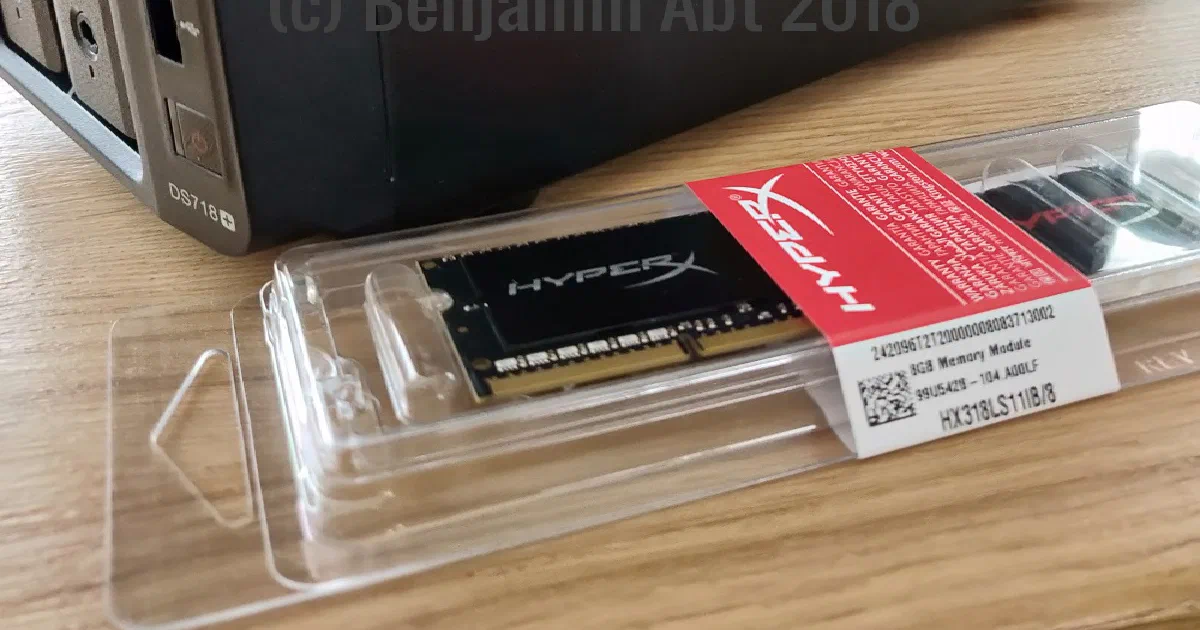
- Kingston HX318LS11IB/8 8GB DDR3-RAM (1866MHz, CL11) {target=_blank rel=noopener}
The RAM
Synology offers numerous RAM extensions on Amazon, which are very expensive. After some research, I found out that the Kingston HX318LS11IB/8 {target=_blank rel=noopener} RAM (up to 2x8GB) is already working successfully in other DS718+ setups.
It is important to note that the DS718 + has two RAM slots. One RAM slot is already used by 2GB, which are installed by default.
Upgrade
(1) Turn off the DS718+ and remove all cables
Please handle with care while working on cables!
(2) Uninstall both HDD frames
To access the RAM slots you have to remove both HDD frames. If your frames are locked, unlock them first. Remember which hard drive was in which slot.
(3) Remove dust
Take advantage of the open synology opportunity and remove any existing dust inside. I use I use ozon-friendly compressed air spray from the can. {target=_blank rel=noopener}.
(4) Prepare
Put your NAS sideways on a sturdy table and make sure the RAM slots are at the bottom.
Carefully open the packing of the RAM bar. Pay attention to anti-static conditions.
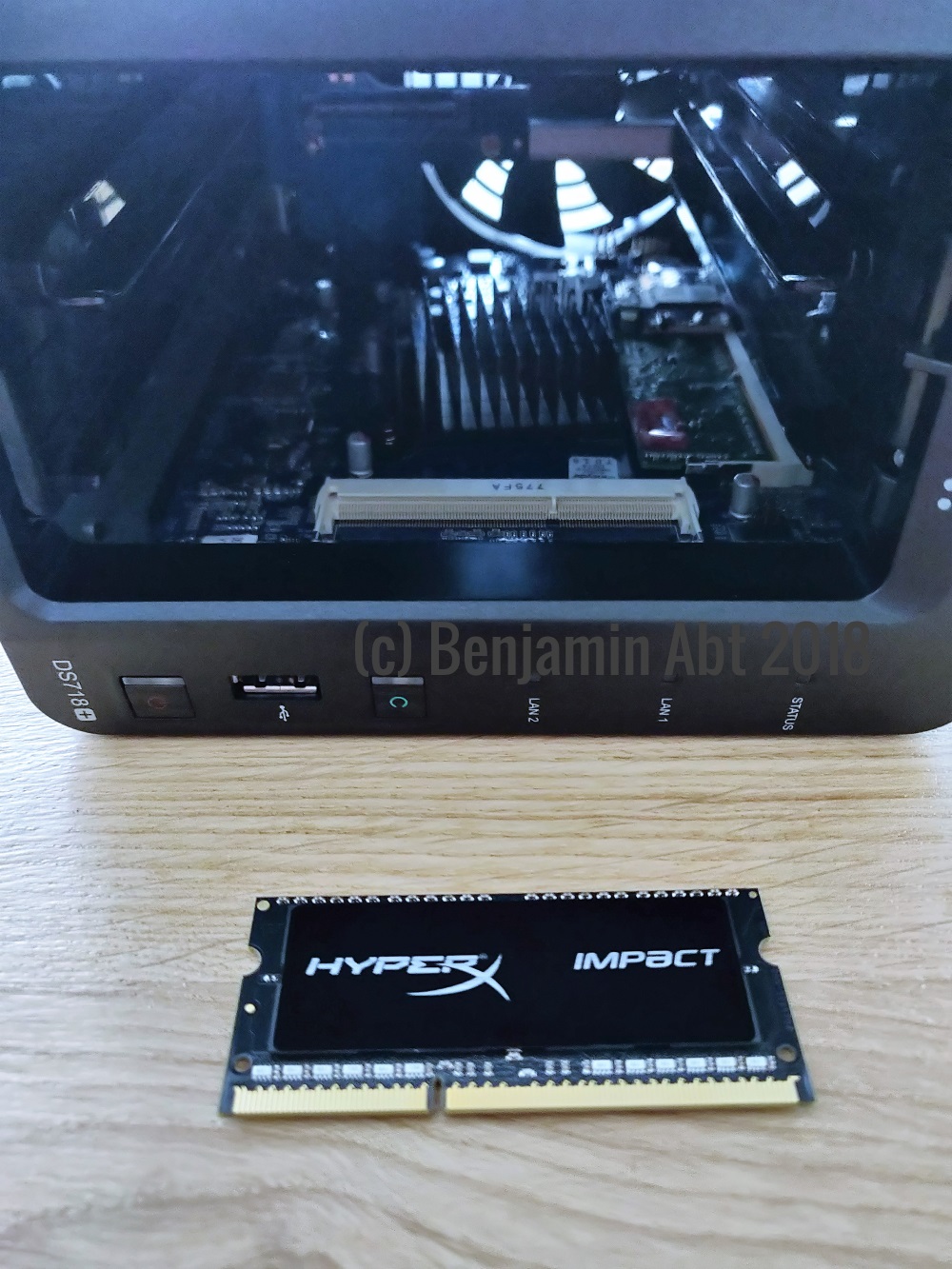
(5) Install RAM
Carefully install the RAM in the slot. Make sure the groove is on the right side. The RAM is inserted at approximately 30 degrees angle and then pushed down. You feel when the RAM bar locks in.
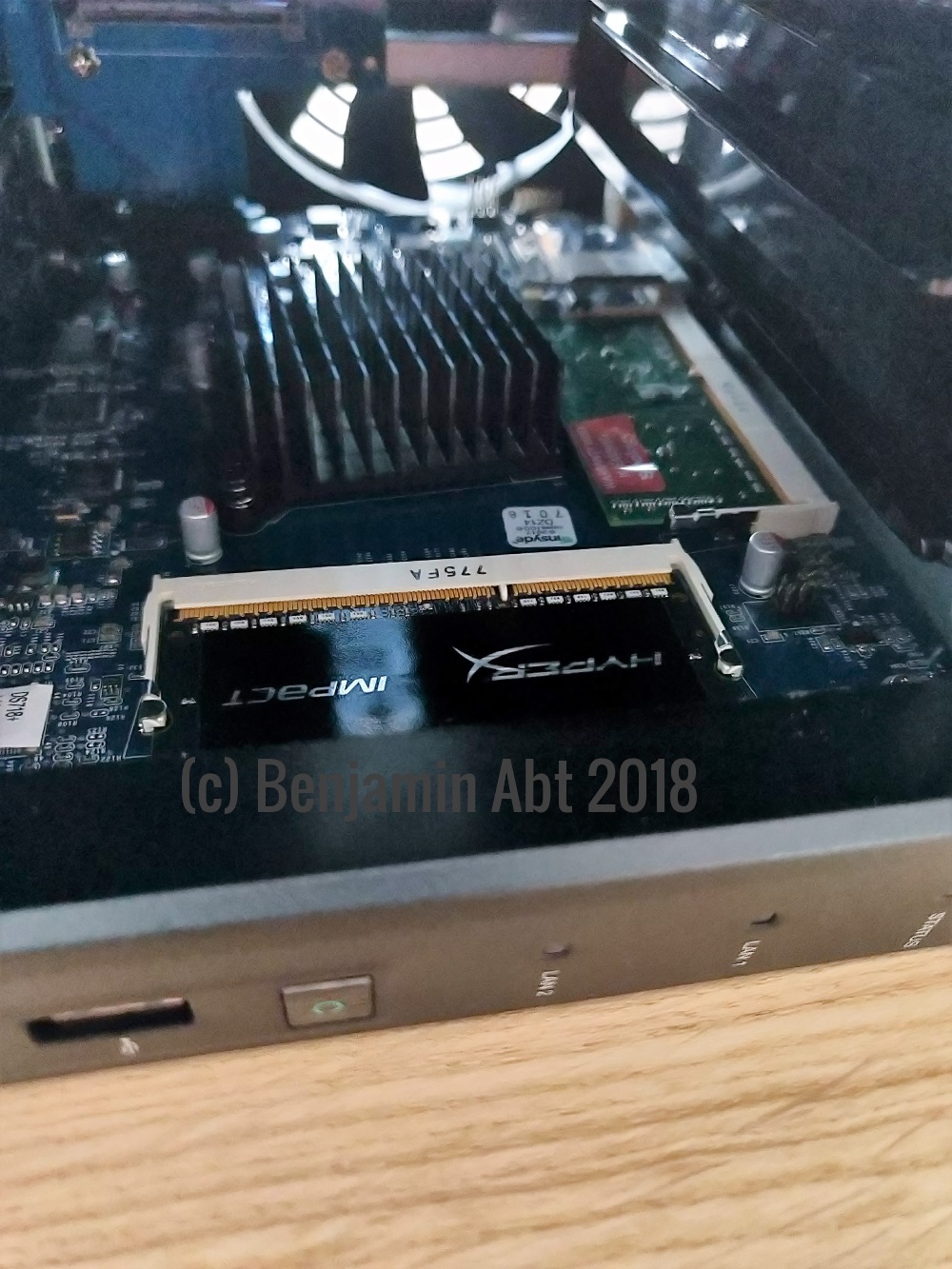
(6) Install HDDs and cables
Put all the hard drives back into place, which you noticed in the second step. Please handle with care while working on cables!
(7) Start your NAS
The first boot after a RAM upgrade takes a little longer.
(8) Have fun with more ram!
Related articles

- 10 min read
Backing Up GitHub Repositories on Synology NAS with gickup
GitHub is an operational platform, not a backup strategy. For a long time, that distinction often felt theoretical because GitHub is - …
- 5 min read
Home Assistant via Docker auf einer Synology NAS installieren
You can find the English version of this guide here: Install Home Assistant on Synology NAS with Docker Home Assistant ist für viele der …
- 4 min read
Install Home Assistant on Synology NAS with Docker
Die deutsche Version findest du hier: Home Assistant via Docker auf einer Synology NAS installieren Home Assistant is the “hub” …

BEN ABT
Ben is Chief Engineering Officer and Principal Software Engineer at Medialesson.de, with a strong focus on .NET and Microsoft Azure. In his professional role, he designs and builds highly scalable platforms for hybrid and cloud-based scenarios. He also advises companies and C-levels on migrating to the sovereign cloud.
He runs myCSharp.de, the largest and most active German-speaking C# community forum, actively contributes to both his own and external open-source projects and regularly shares his knowledge through his blog, at community events, conferences and as a writer for technical magazines.
Let's Work Together
Looking for an experienced Platform Architect or Engineer for your next project? Whether it's cloud migration, platform modernization or building new solutions from scratch - I'm here to help you succeed.