
This article was written in 2019. Versions, tools and recommendations may have changed since then. Newer posts are collected under ASP.NET Core.
Serverless
Serverless is on everyone’s lips; in the .NET area it means mainly Azure Functions. In principle Serverless is all about not having to worry about scaling yourself - and that is much more than just Azure Functions.
However, it stops when you want to develop with ASP.NET Core; for example, a web page or an API. Basically everywhere you have to select a web instance or a docker container and choose a fixed scaling in the form of CPU, RAM and IO - serverless is not possible.
Serverless leading: AWS
AWS has now developed its own extension that makes it possible to run ASP.NET Core in a serverless environment! The AWS Toolkit for Visual Studio provides a corresponding template.
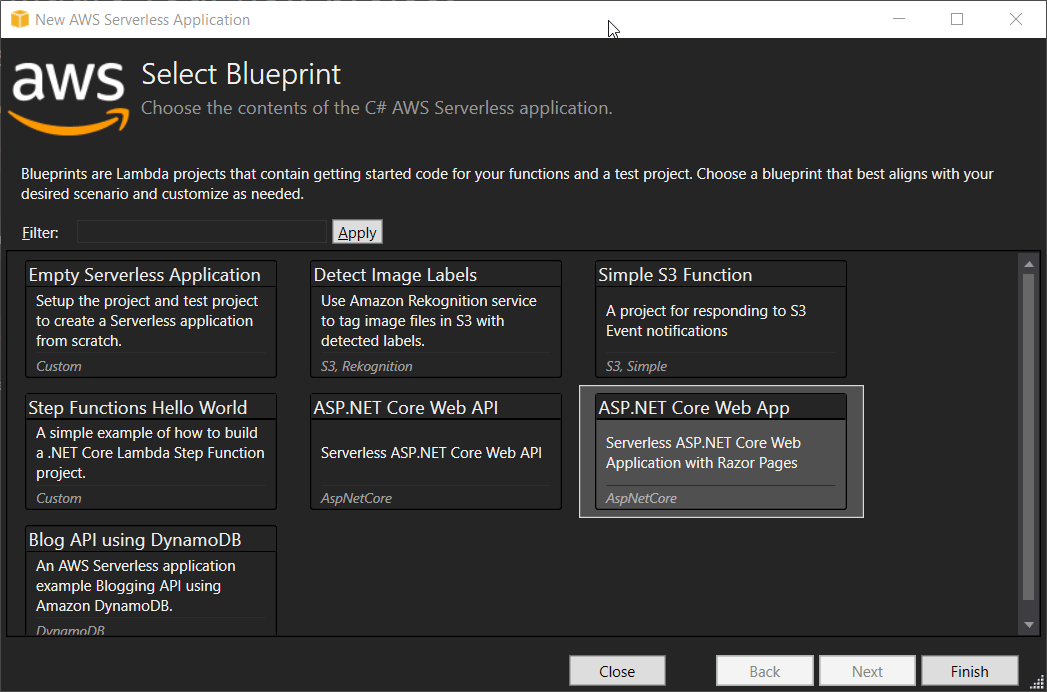
This template now creates an ASP.NET core project as usual - but directly with built-in serverless specialties from AWS.
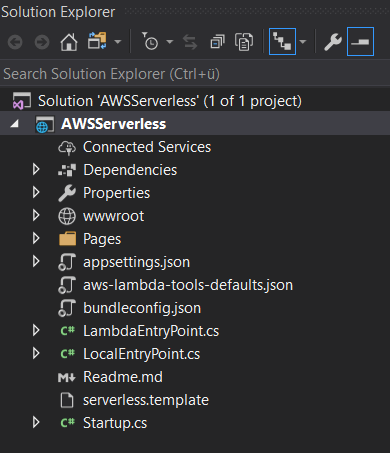
The aws-lambda-tools-defaults as well as the serverless.template are the most obvious ones.
While the tools-defaults are important for publishing from Visual Studio (where the target resources are specified, so it’s an optional file), the serverless.template is the more important file.
Without knowing exactly how AWS managed to make ASP.NET Core run in a serverless environment, you can see here that it is a lambda environment and that some properties like MemorySize and Co are stored here.
 1{
 2    "AWSTemplateFormatVersion" : "2010-09-09",
 3    "Transform" : "AWS::Serverless-2016-10-31",
 4    "Description" : "An AWS Serverless Application that uses the ASP.NET Core framework running in Amazon Lambda.",
 5
 6    "Parameters" : {
 7    },
 8
 9    "Conditions" : {
10    },
11
12    "Resources" : {
13
14        "AspNetCoreFunction" : {
15            "Type" : "AWS::Serverless::Function",
16            "Properties": {
17                "Handler": "AWSServerless::AWSServerless.LambdaEntryPoint::FunctionHandlerAsync",
18                "Runtime": "dotnetcore2.1",
19                "CodeUri": "",
20                "MemorySize": 512,
21                "Timeout": 30,
22                "Role": null,
23                "Policies": [ "AWSLambdaFullAccess" ],
24                "Environment" : {
25                    "Variables" : {
26                    }
27                },
28                "Events": {
29                    "ProxyResource": {
30                        "Type": "Api",
31                        "Properties": {
32                            "Path": "/{proxy+}",
33                            "Method": "ANY"
34                        }
35                    },
36                    "RootResource": {
37                        "Type": "Api",
38                        "Properties": {
39                            "Path": "/",
40                            "Method": "ANY"
41                        }
42                    }
43                }
44            }
45        }
46    },
47
48    "Outputs" : {
49        "ApiURL" : {
50            "Description" : "API endpoint URL for Prod environment",
51            "Value" : { "Fn::Sub" : "https://${ServerlessRestApi}.execute-api.${AWS::Region}.amazonaws.com/Prod/" }
52        }
53    }
54}
Lambda will also be informed at this point which runtime is necessary. It is therefore the description file how our serverless ASP.NET Core application has to be executed or started.
Apart from that it is only noticeable at this point that there is no Program.cs file, but two EntryPoint.cs files.
One starts our application on our local machine (LocalEntryPoint), the other in the Lambda environment (LamdaEntryPoint).
LocalEntryPoint.cs
 1
 2namespace AWSServerless
 3{
 4    public class Program
 5    {
 6        public static void Main(string[] args)
 7        {
 8            BuildWebHost(args).Run();
 9        }
10
11        public static IWebHost BuildWebHost(string[] args) =>
12            WebHost.CreateDefaultBuilder(args)
13                .UseStartup<Startup>()
14                .Build();
15    }
16}
LamdaEntryPoint.cs
 1namespace AWSServerless
 2{
 3    /// <summary>
 4    /// This class extends from APIGatewayProxyFunction which contains the method FunctionHandlerAsync which is the
 5    /// actual Lambda function entry point. The Lambda handler field should be set to
 6    ///
 7    /// AWSServerless::AWSServerless.LambdaEntryPoint::FunctionHandlerAsync
 8    /// </summary>
 9    public class LambdaEntryPoint :
10        // When using an ELB's Application Load Balancer as the event source change
11        // the base class to Amazon.Lambda.AspNetCoreServer.ApplicationLoadBalancerFunction
12        Amazon.Lambda.AspNetCoreServer.APIGatewayProxyFunction
13    {
14        /// <summary>
15        /// The builder has configuration, logging and Amazon API Gateway already configured. The startup class
16        /// needs to be configured in this method using the UseStartup<>() method.
17        /// </summary>
18        /// <param name="builder"></param>
19        protected override void Init(IWebHostBuilder builder)
20        {
21            builder
22                .UseStartup<Startup>();
23        }
24    }
25}
With the help of right-click publish, we can simply publish the application on AWS here.

This only takes a few seconds.
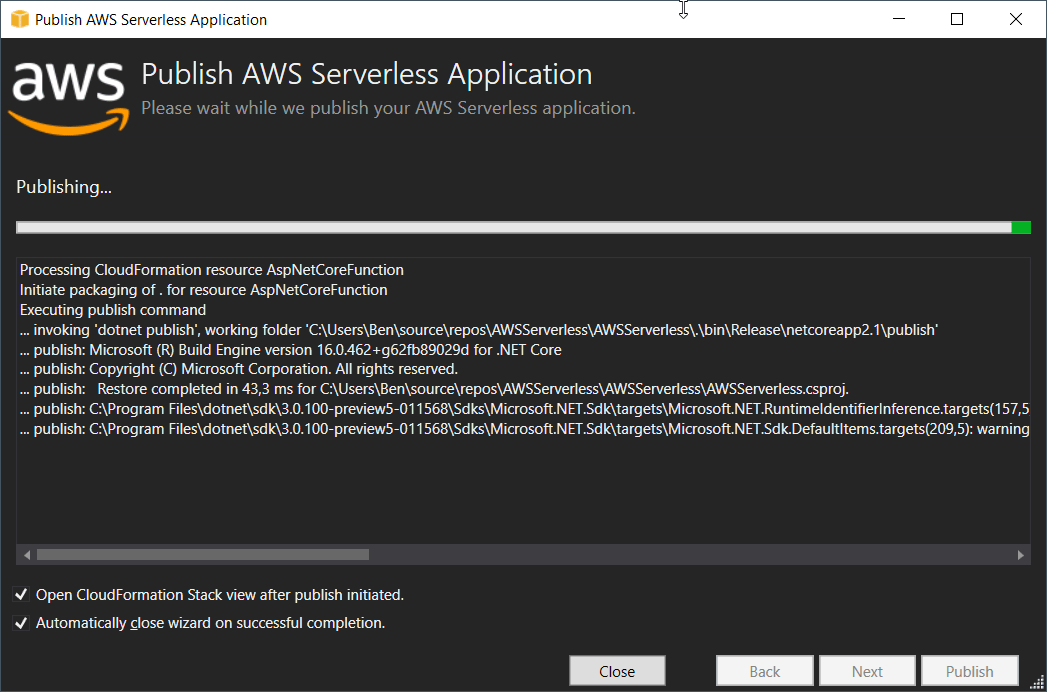
Now you can simply request the ASP.NET Core Serverless application on AWS.
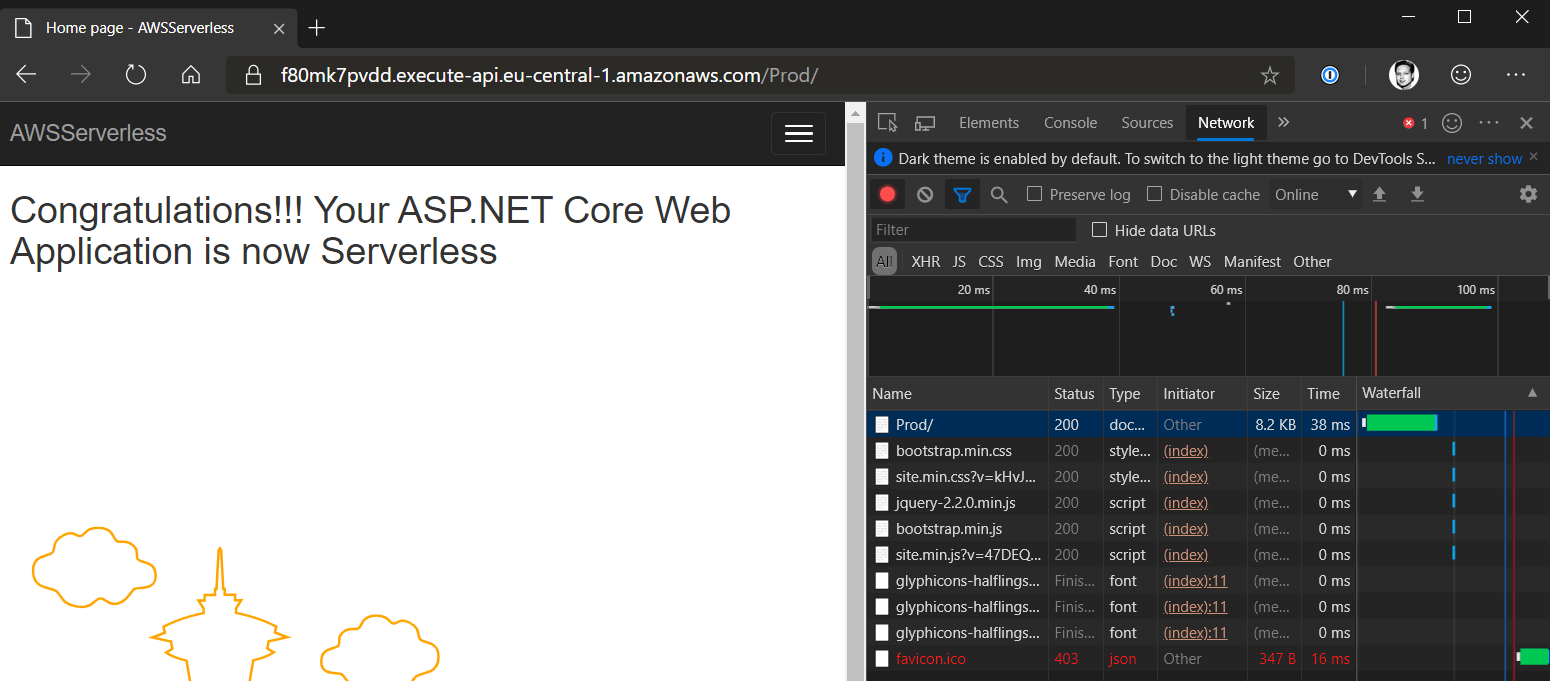
So here we see the standard welcome page of an AWS ASP.NET core application - in a Lambda environment. Completely serverless!
But…
… is the serverless application now restarted every time or do we really have a stateful behavior like we are used to from any other ASP.NET Core Runtime? Let’s give it a try!
For this I simply created a controller that remembers the time at the first call and should display the current time at each further call.
 1using System;
 2using Microsoft.AspNetCore.Mvc;
 3
 4namespace AWSServerless.Controllers
 5{
 6    [Route("hello")]
 7    public class HelloController : Controller
 8    {
 9        public static DateTime Cached = DateTime.Now;
10
11        public IActionResult Index()
12        {
13            dynamic output = new
14            {
15                Servername = Environment.MachineName,
16                Current = DateTime.UtcNow,
17                Cached = Cached
18            };
19            return Ok(output);
20        }
21    }
22}
If the application now works as usual, then we always expect the current time (hence the name) at the current time (Current) and we expect absolutely no change at the cached time (Cached). A restart with every request would also provide Cached with the current time each time.
Tada! It works as intended! The cached time does not change, which means we have a real Stateful ASP.NET core environment!

Output on AWS Lambda:
1{
2    "servername":"169",
3    "current":"2019-07-18T16:09:42.1432922Z",
4    "cached":"2019-07-18T16:09:36.0130443+00:00"
5}
Conclusion:
AWS has currently created something completely unique here: ASP.NET Core in a serverless environment. It works ingeniously well!
I still hope for a variety of technologies, so that we will see this ingenious implementation in other environments as well.
Related articles

- 4 min read
AWS Toolkit for Visual Studio 2019
AWS (Amazon Web Services) offers an extra toolkit for Visual Studio 2017 and Visual Studio 2019 that integrates seamlessly to create …

- 1 min read
HTTP Status 500 on debugging ASP.NET Core with Visual Studio 2017
I gave my PC a new Windows installation and run into the following error: Unable to start process C:\Program Files\dotnet\dotnet.exe. The …

- 12 min read
Problem Details in ASP.NET Core and .NET 11
builder.Services.AddProblemDetails() registers infrastructure. It does not create an error contract. An ASP.NET Core request can fail during …

BEN ABT
Ben is Chief Engineering Officer and Principal Software Engineer at Medialesson.de, with a strong focus on .NET and Microsoft Azure. In his professional role, he designs and builds highly scalable platforms for hybrid and cloud-based scenarios. He also advises companies and C-levels on migrating to the sovereign cloud.
He runs myCSharp.de, the largest and most active German-speaking C# community forum, actively contributes to both his own and external open-source projects and regularly shares his knowledge through his blog, at community events, conferences and as a writer for technical magazines.
Let's Work Together
Looking for an experienced Platform Architect or Engineer for your next project? Whether it's cloud migration, platform modernization or building new solutions from scratch - I'm here to help you succeed.