
This article was written in 2019. Versions, tools and recommendations may have changed since then. Newer posts are collected under Blog.
By default, Windows 10 starts all applications that were open before starting or restarting a system. I don’t know anyone who thinks this functionality is great, but at least you can turn it off.
Just disable the last option Use my sign-in info to automatically finish setting up my device and reopen my apps after an update or restart in the privacy section.
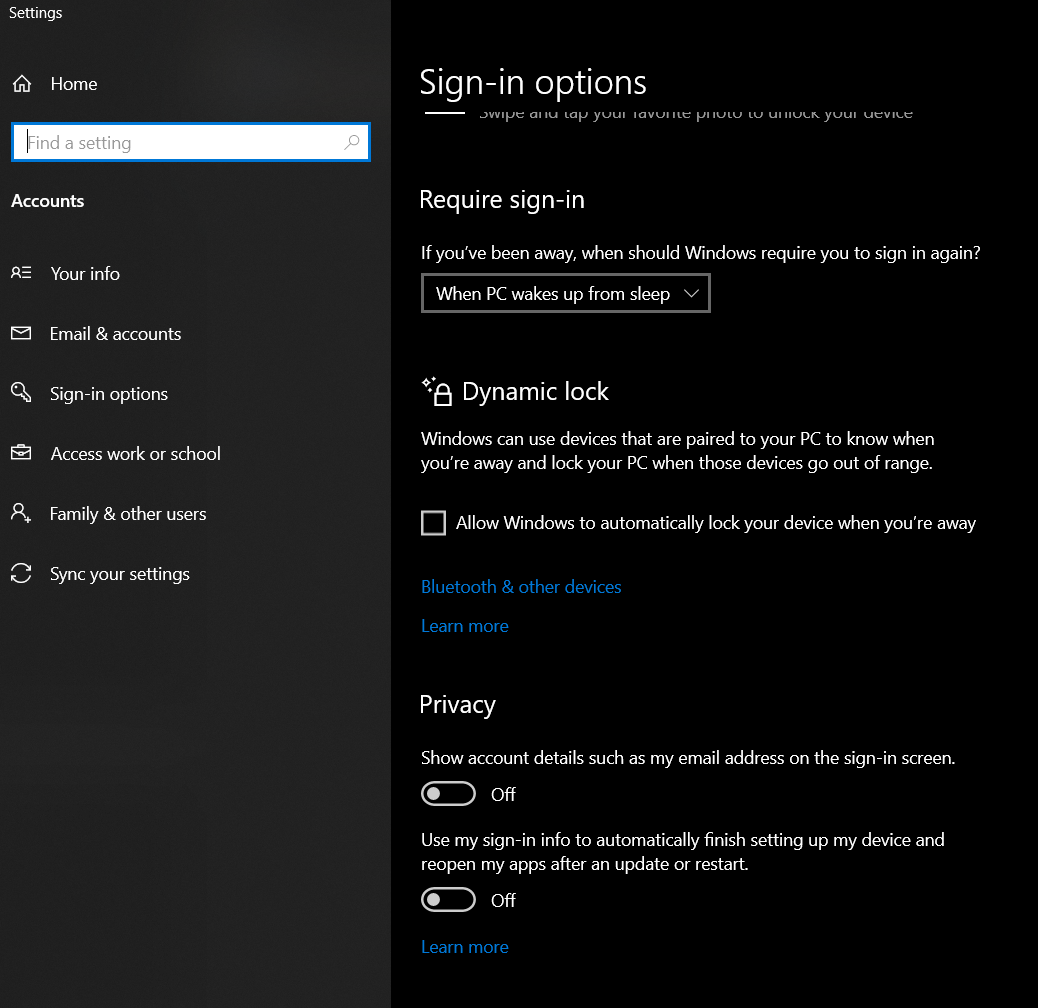
Boom: Windows is a little less annoying and won´t auto start your updates :-)
Hint: This setting is obviously not auto-synced to your Microsoft account right now. You have to set it on all devices manually or if you reset or re-install Windows.

BEN ABT
Ben is Chief Engineering Officer and Principal Software Engineer at Medialesson.de, with a strong focus on .NET and Microsoft Azure. In his professional role, he designs and builds highly scalable platforms for hybrid and cloud-based scenarios. He also advises companies and C-levels on migrating to the sovereign cloud.
He runs myCSharp.de, the largest and most active German-speaking C# community forum, actively contributes to both his own and external open-source projects and regularly shares his knowledge through his blog, at community events, conferences and as a writer for technical magazines.
Let's Work Together
Looking for an experienced Platform Architect or Engineer for your next project? Whether it's cloud migration, platform modernization or building new solutions from scratch - I'm here to help you succeed.