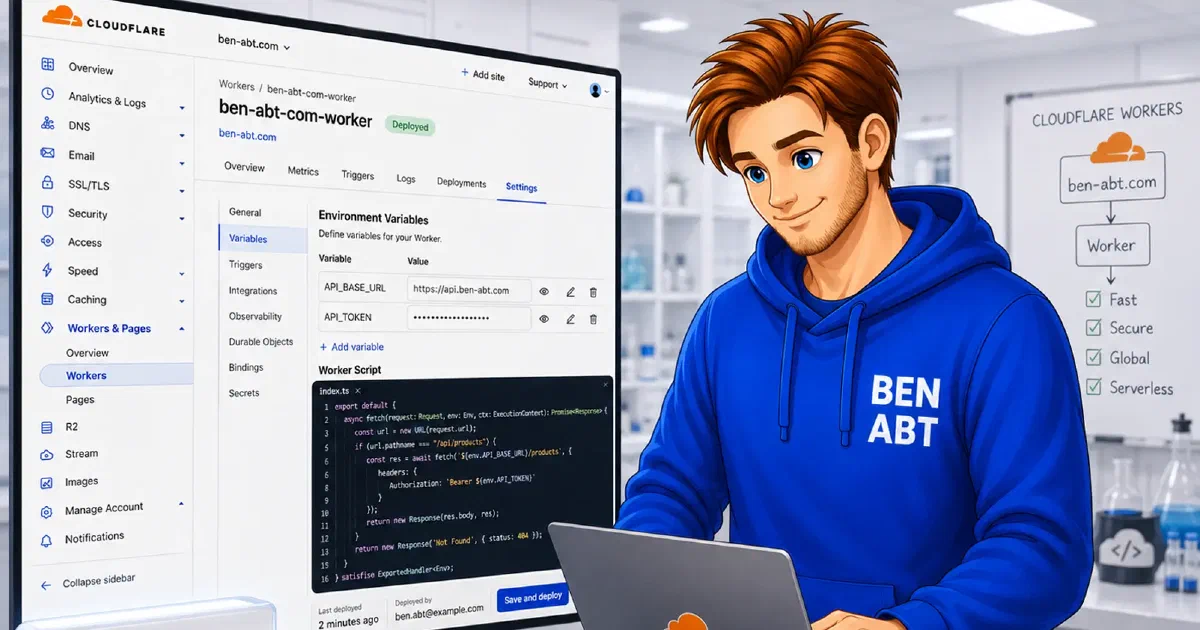
Cloudflare Workers can separate production and preview traffic cleanly without sacrificing canonical URL control. For search visibility, that detail matters more than the mere existence of preview links. The production hostname stays singular, the preview hostname stays disposable and the Worker runtime can normalize HTML paths before duplicate URLs leak into indexing.
For frontend applications that ship static assets through Workers, a small wrangler.toml file is often enough to get the important parts right: a stable production domain, a dedicated preview environment, SPA-safe routing and predictable URL normalization.
The deployment model
The most useful mental model is this:
1production environment -> custom domain        -> canonical public URL
2preview environment    -> workers.dev hostname -> review-only preview URL
3assets config          -> HTML normalization   -> cleaner crawl signals
4SPA fallback           -> index.html on routes -> no deep-link 404s
This is not just a deployment concern. It is also an SEO concern.
If production is reachable under multiple hostnames, search engines can discover duplicate content. If preview builds are indexable, they can leak into search results. If SPA routes return 404 for direct requests, both crawlers and social previews see the wrong thing.
Cloudflare Workers can avoid all three problems, but only if the production and preview channels are intentionally separated.
A good wrangler.toml baseline
The following template is a practical baseline for a Worker that serves a built frontend from dist:
 1name = "nubrowse"
 2compatibility_date = "2026-03-26"
 3
 4[build]
 5command = "npm run build"
 6
 7[assets]
 8# Directory containing the built frontend
 9directory = "./dist"
10
11# SPA routing - all missing paths fall back to index.html
12# We use drop-trailing-slash to normalize URLs without extra redirects
13html_handling = "drop-trailing-slash"
14not_found_handling = "single-page-application"
15
16# Production environment
17[env.production]
18name = "nubrowse"
19workers_dev = false
20[[env.production.routes]]
21pattern = "nubrowse.com"
22custom_domain = true
23
24# Preview environment
25[env.preview]
26name = "nubrowse-preview"
27workers_dev = true
28preview_urls = true
This configuration is notable because it solves four separate concerns in one place:
- the build is deterministic
- production is tied to the real domain
- preview traffic is isolated on
workers.dev - SPA URLs resolve without custom rewrite code
That combination is what makes it operationally clean and SEO-safe.
Why each block matters
The build section
1[build]
2command = "npm run build"
This aligns the Cloudflare build step with the project toolchain. By default, Cloudflare’s build system runs npm install automatically before executing the build command, so specifying npm run build is sufficient.
The exact command can vary by stack, but the principle is consistent. The Worker should produce the same artifact that local development and CI validation produce.
The assets section
1[assets]
2directory = "./dist"
3html_handling = "drop-trailing-slash"
4not_found_handling = "single-page-application"
This is where the Cloudflare Worker stops being just a static host and becomes a clean delivery layer.
directory = "./dist" tells Workers where the compiled frontend lives.
html_handling = "drop-trailing-slash" is the more subtle setting. It normalizes HTML URLs without introducing an extra redirect step for every request. Operationally that means fewer duplicate route variants. From an SEO perspective, it reduces the chance that /about and /about/ behave like competing public URLs.
not_found_handling = "single-page-application" is essential for SPAs. Deep links such as /pricing, /account/settings or /blog/post-slug must still resolve to index.html so the client router can render the right view. Without that fallback, direct requests hit the edge, the edge looks for a physical file and the route collapses into a 404.
That route failure is not only a usability issue. It is also a crawl issue.
Why the production environment is the SEO anchor
The most SEO-relevant lines in the whole file may be these:
1[env.production]
2name = "nubrowse"
3workers_dev = false
4[[env.production.routes]]
5pattern = "nubrowse.com"
6custom_domain = true
workers_dev = false on production is more important than it looks. It keeps the production deployment from being publicly reachable under an additional workers.dev hostname.
That matters because search engines prefer a single canonical public host. If the same production content is reachable under both the custom domain and a public worker subdomain, duplicate discovery becomes easier and canonicalization has to work harder than necessary.
With this setup, production stays where it belongs:
- one hostname
- one routing surface
- one canonical public URL strategy
That is the correct foundation for metadata, sitemaps, structured data and internal links.
What the preview environment is for
The preview block solves a different problem:
1[env.preview]
2name = "nubrowse-preview"
3workers_dev = true
4preview_urls = true
This creates a dedicated preview channel on workers.dev. That environment is useful for pull requests, QA validation and stakeholder review because it separates unfinished work from the canonical production route.
The critical distinction is this: preview URLs should be review URLs, not search-result URLs.
In other words:
- production should be indexable
- preview should be shareable
- preview should not be canonical
That distinction is what keeps collaboration flexible without polluting search results.
Preview URLs and SEO hygiene
The wrangler.toml file gives a clean host separation, but optimal SEO usually requires one more policy decision: preview URLs should be marked noindex.
There are several ways to do that depending on the stack:
- emit a
meta robotstag only in preview builds - send
X-Robots-Tag: noindex, nofollowon the preview hostname - ensure the application emits canonical tags pointing back to production URLs
The exact mechanism depends on whether the frontend is pure static output or wrapped by Worker code, but the principle should remain stable:
1preview host != canonical host
That single rule prevents most preview-related SEO mistakes.
Why drop-trailing-slash is valuable for SEO
The html_handling setting is easy to treat as a routing detail, but it has direct SEO consequences.
Without normalization, HTML pages can drift into multiple public variants:
/docs/docs//docs/index.html
The exact duplicates depend on the framework, link generation and asset paths, but the problem is always the same: a crawler can discover more than one path for the same content.
html_handling = "drop-trailing-slash" reduces that ambiguity by preferring one consistent URL form at the edge.
That is especially useful when:
- frontend routes are shared in chat or issue trackers
- marketing pages are linked from multiple campaigns
- static HTML output is mixed with SPA-style navigation
A stable public URL shape is a foundational SEO signal. The earlier it is enforced in the delivery layer, the less cleanup has to happen later via redirects or canonical tags.
Why SPA fallback is not optional
not_found_handling = "single-page-application" matters for much more than browser refreshes.
In a client-rendered application, every meaningful route is often represented by one HTML shell plus JavaScript. If the edge returns 404 for direct requests, search bots, social scrapers and monitoring tools all see failure instead of content.
With Cloudflare Workers handling the SPA fallback centrally, the delivery behavior becomes consistent:
- internal navigation works
- direct deep links work
- preview links work
- crawler requests do not fail at the routing layer
For teams shipping React, Vue, Angular or other router-driven frontends, this is usually the difference between a usable deployment and a broken one.
For a deeper routing-only walkthrough, the related post Serve SPAs correctly on Cloudflare Workers covers those two flags in isolation.
Where pull request previews fit in
This Worker configuration is a strong foundation for pull request previews, but one nuance matters: the template defines production and preview channels. It does not automatically create an Azure Static Web Apps style infrastructure slot per pull request.
That distinction is important.
What the template provides directly is:
- a stable production deployment target
- a separate preview deployment target
- public preview URLs on the Worker preview surface
If every pull request should have its own isolated preview URL, the CI layer must decide how that isolation is created. Common strategies include:
- using generated preview URLs from each preview deployment
- posting the active preview URL back into the PR conversation
- deriving environment names from the PR number when the workflow model requires stronger isolation
That means wrangler.toml defines the channels, while GitHub Actions defines the review workflow semantics.
A minimal GitHub Actions shape
For many teams, the deployment lifecycle is simple enough to express with two jobs:
 1name: deploy-worker
 2
 3on:
 4  push:
 5    branches:
 6      - main
 7  pull_request:
 8    types:
 9      - opened
10      - synchronize
11      - reopened
12      - closed
13
14jobs:
15  deploy_production:
16    if: github.event_name == 'push' && github.ref == 'refs/heads/main'
17    runs-on: ubuntu-latest
18    steps:
19      - uses: actions/checkout@v4
20      - uses: actions/setup-node@v4
21        with:
22          node-version: 'lts/*'
23          cache: 'npm'
24      - run: npm ci
25      - run: npm run build
26      - run: npx wrangler deploy --env production
27        env:
28          CLOUDFLARE_API_TOKEN: ${{ secrets.CLOUDFLARE_API_TOKEN }}
29
30  deploy_preview:
31    if: github.event_name == 'pull_request' && github.event.action != 'closed'
32    runs-on: ubuntu-latest
33    steps:
34      - uses: actions/checkout@v4
35      - uses: actions/setup-node@v4
36        with:
37          node-version: 'lts/*'
38          cache: 'npm'
39      - run: npm ci
40      - run: npm run build
41      - run: npx wrangler deploy --env preview
42        env:
43          CLOUDFLARE_API_TOKEN: ${{ secrets.CLOUDFLARE_API_TOKEN }}
This keeps the production path explicit and the preview path isolated. The CLOUDFLARE_API_TOKEN secret must be created in the GitHub repository settings and given the Workers Scripts: Edit permission in the Cloudflare API token configuration.
If the preview URL should be surfaced to reviewers, the workflow can add or update a sticky PR comment after deployment. The related post Automate Pull Request Comments with GitHub Actions shows one way to keep that link visible without spamming the pull request timeline.
What teardown means on Workers
This is where the Cloudflare Workers model differs from Azure Static Web Apps.
On Azure Static Web Apps, teardown is often expressed as an explicit preview-close action tied to the pull request lifecycle.
On Workers, the production route never has to be torn down for preview cleanup because preview traffic lives on a separate host surface. Operationally, that is simpler:
- production keeps its custom domain
- preview stays on
workers.dev - closing a pull request usually means stopping preview deployments, not dismantling production routing
If a team wants stricter cleanup semantics, that logic belongs in CI. For example, the workflow can stop publishing preview builds on closed, remove the PR comment that contained the preview link or rotate the preview naming strategy.
From an SEO perspective, this is a healthy model because preview cleanup does not involve touching the canonical domain.
Practical recommendations
For a Worker-hosted frontend that should rank cleanly and review cleanly, the following rules are usually enough:
- Keep production on the custom domain only.
- Keep preview on
workers.devor another explicitly non-canonical host. - Normalize HTML URLs with
drop-trailing-slash. - Enable SPA fallback for route-based frontends.
- Mark preview responses as
noindex. - Post preview URLs into pull requests instead of exposing them as public navigation.
Each rule is small. Together they create a delivery model that is predictable for crawlers, reviewers and deployment automation.
Conclusion
Cloudflare Workers is a strong fit for frontend deployments that need one canonical production domain, one isolated preview channel and clean SPA behavior at the edge.
The most important details are easy to underestimate:
- disable
workers.devon production - keep preview URLs non-canonical
- normalize HTML paths early
- serve
index.htmlfor router-controlled routes
Once those pieces are in place, production stays indexable, previews stay disposable and the Worker runtime stops fighting the SEO model instead of supporting it.
Related articles

Jan 05, 2026 - 2 min read
Serve SPAs correctly on Cloudflare Workers
Single Page Applications like React expect the server to always return index.html and let the client-side router take over. On Cloudflare …

Jan 04, 2026 - 2 min read
Automate Pull Request Comments with GitHub Actions
When working with Pull Requests (PRs) in GitHub, it is often helpful to provide immediate feedback or relevant information directly in the …

Jul 14, 2025 - 4 min read
Scheduled Builds for Cloudflare Deployments with GitHub Actions
Static site generators like Hugo do not have a built-in mechanism to automatically publish content–such as blog posts–at a specific time. If …

BEN ABT
Ben is Chief Engineering Officer and Principal Software Engineer at Medialesson.de, with a strong focus on .NET and Microsoft Azure. In his professional role, he designs and builds highly scalable platforms for hybrid and cloud-based scenarios. He also advises companies and C-levels on migrating to the sovereign cloud.
He runs myCSharp.de, the largest and most active German-speaking C# community forum, actively contributes to both his own and external open-source projects and regularly shares his knowledge through his blog, at community events, conferences and as a writer for technical magazines.
Let's Work Together
Looking for an experienced Platform Architect or Engineer for your next project? Whether it's cloud migration, platform modernization or building new solutions from scratch - I'm here to help you succeed.