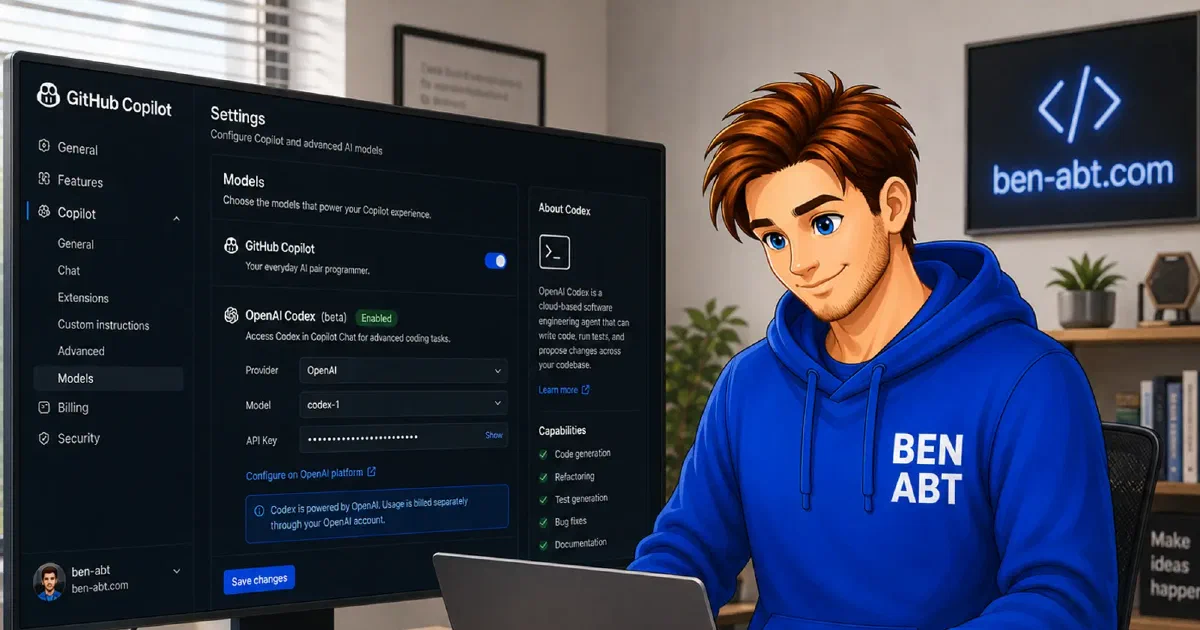
GitHub Copilot’s pricing shift from flat premium request units to token-based GitHub AI Credits, scheduled for June 1, 2026, changes the economics of heavy AI usage in VS Code meaningfully. Models with large context windows, high output verbosity or intensive agent loops now have a more direct relationship between compute and cost. That makes model selection a more relevant engineering decision than it was under the older quota model.
One response to this shift is using BYOK, short for Bring Your Own Key, to route certain workflows through the OpenAI API directly. This keeps Copilot’s code completion, review and inline assistance intact while redirecting chat, agent and planning tasks to models billed through an OpenAI account. For teams or individuals who already have an OpenAI API subscription, this can lower net cost or at least make cost more predictable, because the OpenAI pricing tiers are public and per-token billing is transparent.
The model lineup relevant to this setup includes GPT-4.1 and GPT-4.1 Mini for general coding work, o4-mini for tasks that benefit from more deliberate reasoning and codex-mini-latest for fast, focused code generation. Each has a different balance of speed, reasoning depth and per-token price.
What BYOK changes in VS Code
GitHub Copilot’s April 2026 changelog documents that BYOK models are available in VS Code Chat, including the built-in agent mode and custom agents, with usage billed directly by the selected provider rather than counted against Copilot request quotas. Code completions remain on Copilot’s own infrastructure and are not affected by BYOK configuration.
VS Code supports known providers, such as Anthropic or Google, through the Language Models editor directly. For OpenAI, the same editor is used, but with a Custom Endpoint configuration pointing at the OpenAI Chat Completions API. As of the documentation dated May 2026, Custom Endpoint support is available in VS Code Insiders.
The resulting architecture is:
- VS Code Insiders with GitHub Copilot enabled.
- BYOK configured through the Language Models editor.
- A Custom Endpoint pointing at
https://api.openai.com/v1/chat/completions. - Selected OpenAI models available in the VS Code Chat model picker.
Inline completions continue to use Copilot’s bundled models, unchanged.
Prerequisites
This setup requires the following baseline:
- A GitHub account with an active GitHub Copilot subscription.
- VS Code Insiders, because the Custom Endpoint provider is documented as Insiders-only.
- The GitHub Copilot extension enabled and signed in.
- An OpenAI account with an active API key and billing configured.
- An understanding of which repository data the workflow will expose to the OpenAI API.
For Copilot Business or Enterprise subscriptions, the GitHub organization policy must allow BYOK in VS Code. The relevant policy is labeled “Bring Your Own Language Model Key in VS Code” in the Copilot organization settings.
Getting an OpenAI API key
API keys for OpenAI are managed at platform.openai.com. After signing in, a key is created under API Keys in the dashboard. The key is shown only once at creation time and should be stored securely. Losing it requires generating a replacement.
Before using the key, an account needs billing set up and, optionally, a usage limit configured. OpenAI’s platform allows setting monthly spending caps, which is useful when experimenting with models that have different cost profiles.
Project-based keys are preferable to account-level keys when possible. A dedicated project for VS Code BYOK usage separates that cost bucket from production or automated API usage and allows the key to be revoked without affecting other integrations.
Configuring VS Code with an OpenAI Custom Endpoint
The configuration starts from the Chat view:
- Open the model picker in the Chat view.
- Select Manage Language Models.
- Select Add Models.
- Select Custom Endpoint.
- Use a group name such as
OpenAI. - Select the API type
Chat Completions. - Enter the OpenAI API key when prompted.
VS Code then opens chatLanguageModels.json. A configuration that covers the main useful models looks like this:
 1[
 2  {
 3    "name": "OpenAI",
 4    "vendor": "customendpoint",
 5    "apiType": "chat-completions",
 6    "apiKey": "YOUR_OPENAI_API_KEY",
 7    "models": [
 8      {
 9        "id": "gpt-4.1",
10        "name": "GPT-4.1",
11        "url": "https://api.openai.com/v1/chat/completions",
12        "toolCalling": true,
13        "vision": true,
14        "maxInputTokens": 1047576,
15        "maxOutputTokens": 32768
16      },
17      {
18        "id": "gpt-4.1-mini",
19        "name": "GPT-4.1 Mini",
20        "url": "https://api.openai.com/v1/chat/completions",
21        "toolCalling": true,
22        "vision": true,
23        "maxInputTokens": 1047576,
24        "maxOutputTokens": 32768
25      },
26      {
27        "id": "o4-mini",
28        "name": "o4-mini",
29        "url": "https://api.openai.com/v1/chat/completions",
30        "toolCalling": true,
31        "vision": true,
32        "maxInputTokens": 200000,
33        "maxOutputTokens": 100000
34      },
35      {
36        "id": "codex-mini-latest",
37        "name": "Codex Mini",
38        "url": "https://api.openai.com/v1/chat/completions",
39        "toolCalling": true,
40        "vision": false,
41        "maxInputTokens": 200000,
42        "maxOutputTokens": 32768
43      }
44    ]
45  }
46]
The toolCalling flag controls whether a model appears in agent mode. A model without that flag will show up in standard chat but will be excluded from agentic scenarios where tool use is required. All four models listed above support tool calling through the OpenAI API.
The API key in this configuration is stored as plain text in a local VS Code settings file. If VS Code offers to store the key in the system credential store during the setup wizard, that is the more secure option. The chatLanguageModels.json file should not be committed to a repository.
After saving the configuration, the models appear in the Chat model picker. A VS Code restart is typically required if models do not show up immediately.
Choosing between the available models
GPT-4.1 is OpenAI’s current general-purpose frontier model. It handles long context well and is a strong default for complex refactoring, multi-file editing, architecture discussion and detailed code review. The 1M token context window is practical for large repository scans in agent mode. Cost is proportionally higher than the smaller models.
GPT-4.1 Mini shares the same context window at a significantly lower per-token price. It is a reasonable default for day-to-day coding assistance: test generation, inline explanation, small refactors and documentation. For most interactions where strong reasoning is not required, Mini is the cost-efficient baseline.
o4-mini is a reasoning-focused model from OpenAI’s o-series. It takes more processing time per request but produces more careful and structured output for problems that require deliberate planning or complex debugging analysis. It is not the right tool for quick turnaround tasks, but it adds value where thinking depth matters more than speed.
codex-mini-latest is OpenAI’s code-specialized model. It is designed for fast, focused code generation and editing. Latency is lower than the GPT-4.1 line and per-token cost is competitive. It performs well on routine implementation and transformation tasks but has less depth for architecture and cross-repository reasoning.
A practical allocation across these models:
- GPT-4.1 Mini: default for most chat and agent work.
- GPT-4.1: complex agents, large repository context, architecture planning.
- codex-mini-latest: fast inline coding tasks, small edits, routine transformations.
- o4-mini: debugging with unusual root causes, algorithm design, implementation planning.
VS Code’s chat.utilityModel and chat.utilitySmallModel settings control background tasks such as commit message generation, Git summaries, branch name suggestions and intent detection. codex-mini-latest or GPT-4.1 Mini are appropriate choices for these lower-stakes utility roles where cost and latency matter more than maximum capability.
Cost and context management
Switching to direct OpenAI billing requires attention to token consumption patterns. The same behaviors that generate high Copilot credit usage — large context attachments, long agent loops, frequent whole-file inclusions — generate proportionally high OpenAI API cost.
Practical controls include:
- OpenAI’s per-project monthly spending limits, set in the platform dashboard.
- Using smaller models for tasks that do not require frontier capability.
- Limiting context attachment size explicitly rather than including entire files by default.
- Avoiding agent loops for tasks that can be resolved with a direct, single-step edit.
- Monitoring usage through OpenAI’s usage dashboard, which shows per-model breakdowns.
Separate API keys for different contexts — open source work, experiments and production-adjacent usage — allow individual cost tracking and targeted revocation without disrupting everything.
Data handling and compliance
When VS Code Chat or an agent sends a request through the OpenAI BYOK endpoint, the prompt, attached code context and tool results are transmitted to OpenAI’s API infrastructure. This is not different in principle from using OpenAI directly, but the combination with a VS Code coding agent can produce larger and more sensitive payloads than a typical chat interaction.
Several points apply before using this setup with non-public code:
- Proprietary source code, internal business logic and customer data may require approval before being sent to any external AI provider, including OpenAI.
- Secrets, credentials, environment configuration and production logs should not appear in prompts or context attachments.
- OpenAI’s API data processing terms apply. Enterprise agreements may provide additional data handling guarantees that differ from the default consumer terms.
- Some regulated industries and enterprise contracts impose restrictions on which AI providers can process code or data, independent of the model quality.
Open source repositories and public code are the lower-friction starting point. For proprietary work, the appropriate path is to verify data classification, review provider terms and confirm alignment with any applicable compliance requirements before activating a BYOK configuration.
Troubleshooting
If the models do not appear in the Chat model picker after saving the configuration, checking the VS Code Output panel for Language Model errors is the first step. Authentication failures at this point usually mean the API key was entered incorrectly or the OpenAI account does not have active billing.
If a model appears in standard chat but not in agent mode, the toolCalling flag is likely missing or set to false in the configuration. All four models listed in this post support tool calling through the Chat Completions endpoint.
If requests fail with 429 errors, the OpenAI account has hit a rate limit. Newly created accounts and free-tier keys have lower rate limits than paid accounts that have accumulated usage history. OpenAI’s rate limit tiers are documented in the platform dashboard.
If agent tasks complete but produce poor results compared to the same models used on OpenAI’s own platform, the difference is often context framing. VS Code’s agent runtime prepends additional system context to each request. Some models respond differently to that framing than to a clean direct prompt. Switching from codex-mini-latest to GPT-4.1 Mini is a reasonable test when agent behavior feels inconsistent.
If inline completions stop working, that is unrelated to BYOK. Completions use Copilot’s own infrastructure and are not routed through custom endpoints.
Related articles
May 27, 2026 - 9 min read
Using MiMo V2.5 with GitHub Copilot BYOK and OpenCode Zen (Promo)
MiMo V2.5 is the latest reasoning and coding model from Xiaomi’s AI lab. Xiaomi positions MiMo as a general-purpose reasoning model …
May 23, 2026 - 10 min read
Using Kimi K2.5 and DeepSeek V4 in VS Code with GitHub Copilot BYOK and OpenCode
GitHub Copilot is moving into a different cost model. GitHub announced that Copilot plans will transition from premium request units to …

Feb 03, 2026 - 5 min read
Building Custom AI Tooling with the GitHub Copilot SDK for .NET
The landscape of AI development is shifting rapidly from simple chat interfaces to fully integrated, agentic workflows like the Ralph Loop . …

BEN ABT
Ben is Chief Engineering Officer and Principal Software Engineer at Medialesson.de, with a strong focus on .NET and Microsoft Azure. In his professional role, he designs and builds highly scalable platforms for hybrid and cloud-based scenarios. He also advises companies and C-levels on migrating to the sovereign cloud.
He runs myCSharp.de, the largest and most active German-speaking C# community forum, actively contributes to both his own and external open-source projects and regularly shares his knowledge through his blog, at community events, conferences and as a writer for technical magazines.
Let's Work Together
Looking for an experienced Platform Architect or Engineer for your next project? Whether it's cloud migration, platform modernization or building new solutions from scratch - I'm here to help you succeed.