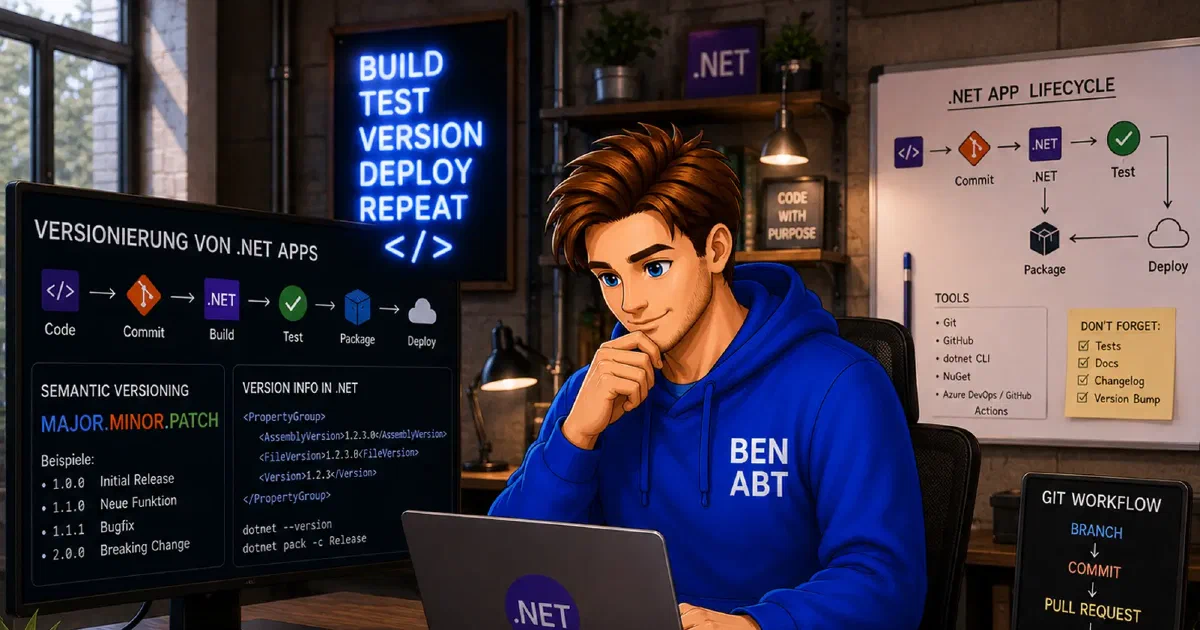
Desktop software makes versioning visible in a way that web systems often do not. A backend can hide a surprising amount of release machinery behind its platform. A Windows executable cannot. Explorer exposes file versions, installers compare product versions, update channels make decisions based on package identity and support usually starts with a screenshot from an About dialog.
That visibility changes the standard completely. For desktop applications, versioning is not just a build concern. It has to hold together across assemblies, Windows metadata, installers, signed payloads and the user interface. If those surfaces drift apart, support gets slower and release behavior gets harder to reason about.
If the repository still uses hand-maintained AssemblyInfo.cs values, wildcard auto increment or a public x.x.x.x release contract, start with How to migrate .NET versioning from x.x.x.x to SemVer
. This article assumes that baseline is already done and focuses on the desktop-specific mapping afterwards: CLR identity, Windows metadata, installers, signed payloads and About-dialog reporting. For server-side publish and deployment concerns, the companion article Modern versioning for ASP.NET Core and web apps and how to produce idempotent artifacts
covers the web-specific side.
This is why desktop repositories benefit so much from a Git-based versioning model and from artifacts that are built once, signed deliberately and then promoted unchanged.
Desktop versioning has several real audiences
In a desktop product, one version number rarely satisfies every consumer.
At the same time, the repository may need to care about:
- managed assembly identity
- Windows file version metadata
- the user-facing product version
- installer or package versions
- update-channel behavior
- RID- or architecture-specific artifact identity
Those concerns overlap, but they are not the same.
For example, 5.2.0-rc.2 is perfectly reasonable in release notes or telemetry. It is not a format that MSIX can use directly, because MSIX requires a numeric four-part version. That alone is enough to show why a desktop repository needs a mapping strategy instead of one string copied everywhere.
Desktop work starts where the generic migration stops
The generic move to NBGV and version.json is the easy part. The desktop-specific work starts afterwards, because one Git-derived version identity now has to be projected into several formats with different rules.
Public releases and internal builds usually need to look different. Development snapshots still need full traceability. Public installers should be readable and predictable. Desktop users actually see these version strings, so the distinction is not cosmetic.
AssemblyVersion should usually move more slowly than the product version
One of the easiest ways to create unnecessary friction in desktop software is to change AssemblyVersion on every release just because the product version changed.
For WPF, WinForms and WinUI applications, a more durable default is usually:
- keep
AssemblyVersionconservative across a compatible line - let
AssemblyFileVersionandAssemblyInformationalVersionadvance with releases - let installer or package versions follow the shipping model
That policy matters in plugin-heavy applications, reflection-based integrations and any environment where binary identity leaks into surrounding tooling.
NBGV helps because it already understands that these version surfaces are related without forcing them to be identical.
On desktop, FileVersion is operational data
It is easy to treat file version metadata as secondary until the first real support case arrives.
In practice, support often starts from the Windows properties dialog, a crash report or a copied EXE. In those workflows, FileVersion is not trivia. It is often the first reliable clue about what actually shipped.
That is why deriving file versions mechanically from repository state is so useful. A file version that comes from the build pipeline is far more trustworthy than one that depends on somebody remembering to update an attribute.
Wildcard auto increment is a poor fit for signed desktop releases
Older desktop projects often leaned on wildcard-based versioning because it was convenient in a local Visual Studio workflow. The downside is that those values are effectively time-based.
That creates two practical problems for desktop software:
- rebuilding the same commit later produces a different binary identity
- signed artifacts become harder to trace cleanly back to source
Once installers, packaging and signing enter the picture, that kind of drift becomes expensive. Source-based version height is a much stronger model than clock-based version generation.
Installer versions and product versions are not the same thing
Desktop products often ship more than one artifact shape:
- publish folders
- ZIP archives
- EXE or MSI installers
- MSIX packages
- self-contained single-file builds
Each of those surfaces has its own constraints.
MSIX wants a numeric four-part version. Windows file metadata also prefers a numeric form. The product version shown in the UI or release notes may need a prerelease label such as beta or rc. Treating the installer version as if it were the whole product identity usually makes one of those consumers unhappy.
The better approach is to accept the distinction: the product version is the public release identity, while the Windows-facing package versions are projections of that identity into formats the platform requires.
NBGV produces the raw material desktop apps actually need
The practical advantage of NBGV is not only that it computes a SemVer string. It emits several related values that desktop tooling can consume in different places, including:
AssemblyVersionAssemblyFileVersionAssemblyInformationalVersionVersionGitVersionHeightGitCommitIdShort
That is enough to keep the installer numeric, the UI readable and the artifact names explicit. A package name such as MyApp_5.2.14_win-x64.zip carries useful deployment context without polluting every Windows metadata field with the exact same representation.
Native version resources are worth controlling explicitly
Desktop software has one detail that many server-side repositories never have to think about: the native Windows version resource.
NBGV exposes a useful switch for this:
1<Project>
2  <PropertyGroup>
3    <NBGV_UseAssemblyVersionInNativeVersion>false</NBGV_UseAssemblyVersionInNativeVersion>
4  </PropertyGroup>
5</Project>
With that setting, the native PRODUCTVERSION follows the assembly file version instead of the more conservative assembly version. That is often the better choice for desktop diagnostics because shell tooling and crash reports then reflect the moving shipped build rather than the intentionally stable CLR identity.
It is a small setting, but it is exactly the kind of small setting that prevents avoidable confusion months later.
The UI should read stamped metadata, not rephrase it
About dialogs are notorious for drifting away from the actual binaries on disk when their version string is maintained separately.
The safer pattern is to read the data the build already stamped:
 1namespace BenjaminAbt.Editor.Diagnostics;
 2
 3public static class BuildInformation
 4{
 5    public static string ProductVersion => ThisAssembly.AssemblyInformationalVersion;
 6
 7    public static string FileVersion => ThisAssembly.AssemblyFileVersion;
 8
 9    public static string AssemblyVersion => ThisAssembly.AssemblyVersion;
10}
That keeps the About dialog, telemetry and support tooling aligned with the actual artifact instead of with a duplicated string resource.
Signed desktop artifacts need a clear reproducibility boundary
Desktop release engineering gets trickier the moment signing enters the process.
The compiled output may still be deterministic, but the final signed payload is no longer just compiler output. Timestamping, packaging order and signing infrastructure all become part of the release boundary.
That is why a professional desktop release flow should separate the stages clearly:
- pin source and dependencies
- build publish output once from one commit
- package once per artifact type
- sign in a controlled step
- store and promote those signed outputs unchanged
That is the desktop meaning of idempotent artifacts. It does not mean the entire release process is casually repeatable without consequence. It means one source state yields one release payload and that payload is the one that moves forward.
SDK drift hurts desktop builds more than many teams expect
Desktop output is often especially sensitive to SDK changes. A different feature band can affect:
- single-file bundling
- trimming
- generated manifests
- RID-specific outputs
- native host generation
That is why a global.json file is part of the release contract and not just a convenience:
1{
2  "sdk": {
3    "version": "10.0.100"
4  }
5}
Without that pin, rebuilding an older desktop release can quietly produce different output from the same commit.
Release workflows should be mechanical
Desktop releases often come with the most ceremony: installers, signing, packaging, distribution, maybe multiple architectures. That is exactly why the versioning workflow should stay boring.
The NBGV commands that matter most in practice are still straightforward:
1nbgv get-version
2nbgv prepare-release
3nbgv tag
prepare-release is especially useful where release branches are still part of the process, because it keeps branch creation and version movement aligned with the rules already declared in version.json.
Common desktop failures are usually process failures
The painful versioning issues in desktop software are rarely exotic bugs. More often they look like this:
- the About dialog shows a manually maintained string unrelated to the shipped build
- MSIX and EXE metadata advance independently
- production artifacts are rebuilt instead of promoted unchanged
- architecture-specific packages are named ambiguously
- every patch changes
AssemblyVersioneven though compatibility did not
These are workflow problems disguised as metadata problems.
Conclusion
Good desktop versioning is mostly about coherence. The executable, installer, update feed, telemetry and user-facing UI all need to describe the same shipped build, even if each surface prefers a different representation.
NBGV is particularly effective here because it covers both halves of the problem: the repository workflow through nbgv and the build-time metadata stamping through the Nerdbank.GitVersioning integration. Combined with conservative assembly identity, Windows-friendly file versioning, controlled signing and immutable promotion, that produces desktop artifacts that are easier to ship and much easier to support later.
Related articles
Jun 26, 2026 - 9 min read
Modern versioning for .NET apps and libraries and how to produce idempotent artifacts
Versioning stays invisible right up to the point when it fails. A package has to be reissued, a support case depends on one exact binary or …
Jun 24, 2026 - 14 min read
Local Aspire Development with Azure Cosmos DB and the Preview Emulator
Distributed applications tend to feel straightforward until a real cloud dependency enters the picture. Azure Cosmos DB is a good example. …
May 10, 2026 - 9 min read
Cloudflare Workers with wrangler.toml: Preview URLs, production routes and SEO-safe SPA handling
Cloudflare Workers can separate production and preview traffic cleanly without sacrificing canonical URL control. For search visibility, …

BEN ABT
Ben is Chief Engineering Officer and Principal Software Engineer at Medialesson.de, with a strong focus on .NET and Microsoft Azure. In his professional role, he designs and builds highly scalable platforms for hybrid and cloud-based scenarios. He also advises companies and C-levels on migrating to the sovereign cloud.
He runs myCSharp.de, the largest and most active German-speaking C# community forum, actively contributes to both his own and external open-source projects and regularly shares his knowledge through his blog, at community events, conferences and as a writer for technical magazines.
Let's Work Together
Looking for an experienced Platform Architect or Engineer for your next project? Whether it's cloud migration, platform modernization or building new solutions from scratch - I'm here to help you succeed.